Crowdin

要译的不是单词,是原文的真实含义。

高品质产品与一片混沌之间的差别,在于语境。Crowdin 可从您的代码、设计、资产文件中自动收集语境,您的译者再也不必自行猜测。

“盲翻”问题

无语境

在黑暗中翻译代价不小

歧义

“Home”可以指房子、首页或家。没有语境,译者只能猜测。

UI 损坏

没有字符限制或视觉预览,翻译会破坏您的布局。

无尽的问答

开发者要浪费数小时回答译者的基础问题。

有语境

面面俱到的清晰

看得见的证据

屏幕截图和预览功能可精准定位文本。

代码感知

代码中的注释会自动拉入编辑器。

一致的术语

术语库确保您的品牌声音在 20 种语言中保持一致。

Crowdin Context Harvester CLI

从代码里直接提取语境

您已经在代码里写过了描述。Crowdin 语境收集器 CLI 能够扫描您的仓库,提取代码注释和使用例,然后自动添加到您的源字符串上。

Context Harvester CLI

智能体 AI

分析您的代码库,描述每个键的使用方式,例如"Button label on the login screen."(登录屏幕按钮标识。)

控制

先审阅提取出的注释,再让译者看到。只有经您批准的语境信息可以发布。

Visual context: see it to believe it

Give translators a window into your product.

Mobile & Static

Automatically tag screenshots with source strings. When a translator clicks a text segment, they see the exact screen it belongs to.

Web Apps (In-Context Overlay)

Let translators work directly on your live website. The In-Context Overlay shows real-time changes in a WYSIWYG mode on your actual interface.

Learn more about In-Context Localization

Build your organizational memory

Ensure consistency even if you change translation teams.

翻译记忆 (TM)

"Previously translated as..." suggestions mean you never pay for the same phrase twice.

术语库

Define key terms like "Checkout" vs "Cart." AI Glossaries draft definitions automatically.

Style Guides

Attach PDFs or links so tone and voice stay consistent even as teams change.

Where it all comes together

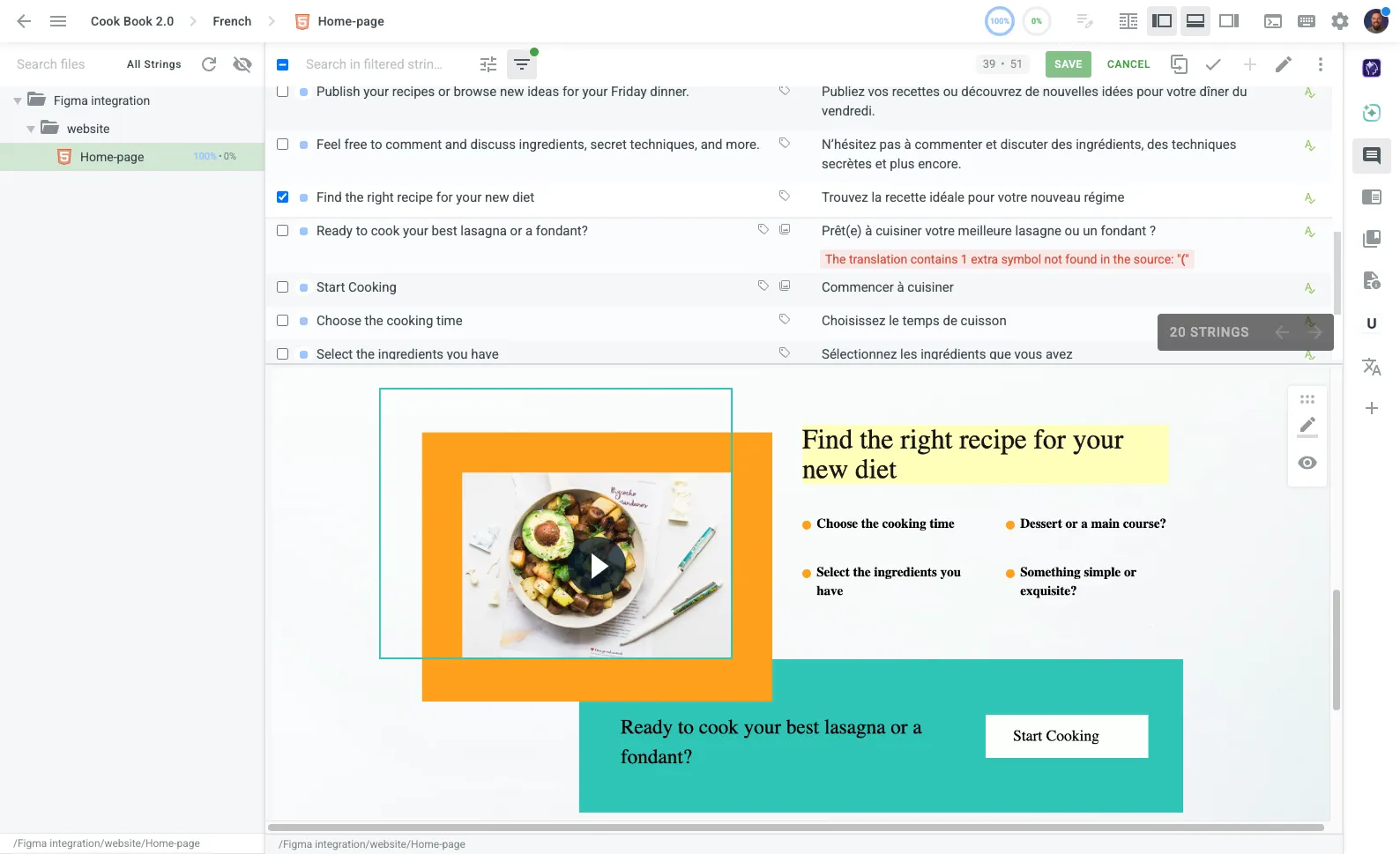
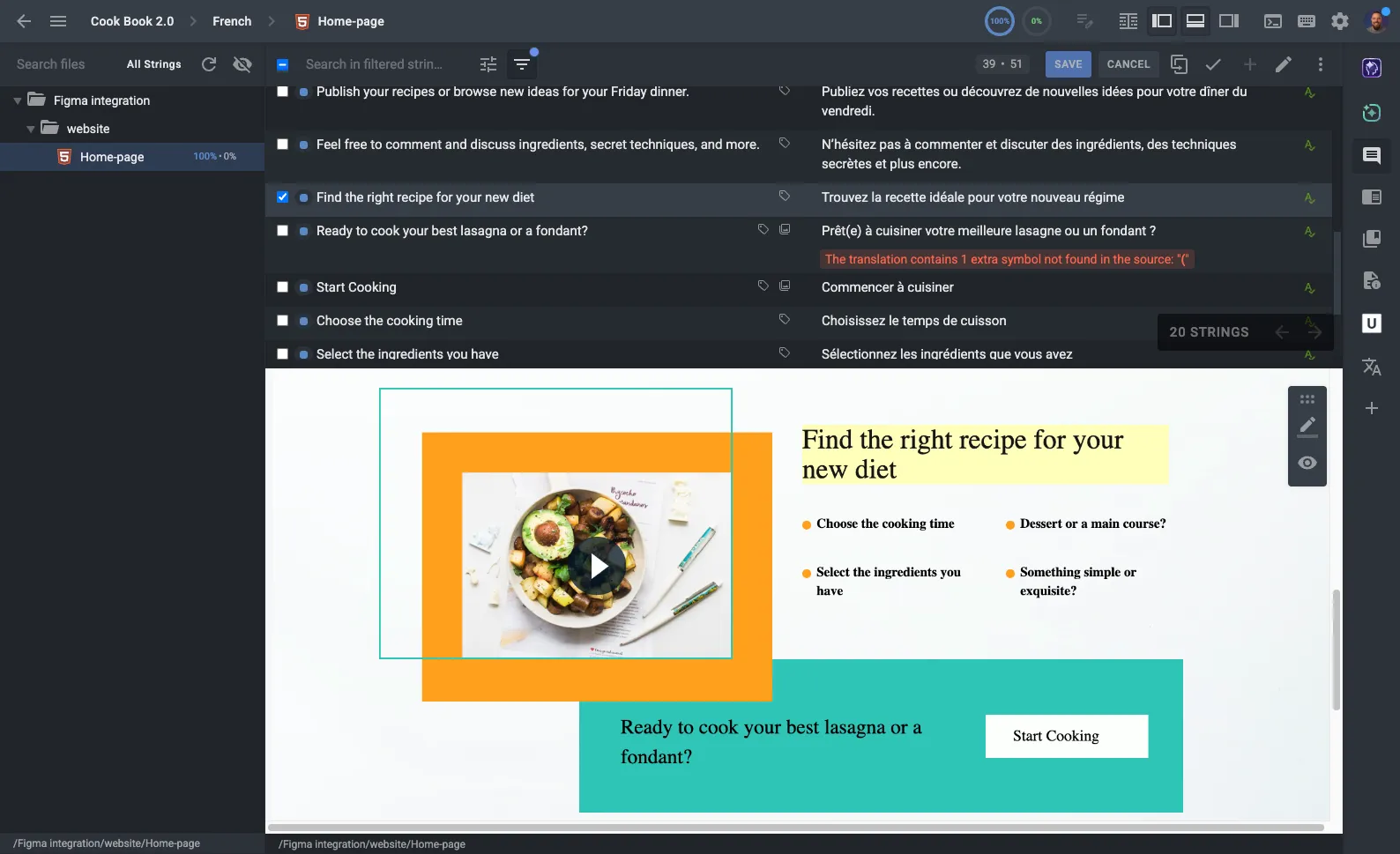
Crowdin 编辑器是向语言学家展示所有收集的语境信息的驾驶舱。

  • Real-time preview renders documents and HTML as you type.
  • 内联警告保持占位符、长度和术语的完整性。
探索编辑器
Crowdin Editor with contextual panels

Context for every stack

Mobile SDKs (iOS/Android)

Screenshots and OTA updates for apps without App Store waits.

了解更多信息

JS SDK & In-Context

Live WYSIWYG editing on your production web app.

了解更多信息

Document Localization

Docs, KBs, and PDFs translated with structure preserved.

了解更多信息

不要再修复糟糕的翻译,开始预防它们。

自动收集语境,从第一天起就确保质量。